Humanized support
Support that feels like a real conversation.
Atria answers your customers with warmth, learns how your business talks, and brings in a human the moment it matters.
Psst, Atria is already here. Say hi in the corner
Customer: Hi! My cake order for Saturday still says pending 😟
Atria: Hi Marta! I found it: chocolate & raspberry, ready Saturday at 10am. It's confirmed now. Should I add a little note on top?
Customer: Yes please! It's for my mom, she turns 70 🥹
Joana from the bakery joined. She writes the sweetest notes.
- Joana is typing
AI is a multiplier, not a replacement. Atria handles the routine so your people can be there for the moments that count.
Why Atria
Fast answers without losing the human touch.
Warm by default
Atria greets people by name, keeps context, and answers in your tone. Nobody feels like ticket #4821.
Knows when to step aside
When a moment calls for a person, Atria hands off with the whole story, so your team never asks twice.
One line, any website
A single script adds the chat to any site. Isolated styles, lazy loading, and nothing to break on your page.
See it in action
One conversation, from hello to solved.
Recorded from the product on Lumen Coffee, a demo store. Nothing is mocked up: this is what your visitors and your team will see.
A visitor asks, the agent answers
A visitor opens the chat on the store and asks about shipping. The agent answers in seconds, in the store's voice.
- Greets people by name and answers from what you taught it
- Replies in the visitor's own language
- Minimized? New replies show up as a badge
A person steps in with the whole story
- 01.The visitor asks for a person. The agent helps right away and calls your team.
- 02.Your operator sees who's waiting, opens the conversation and takes over.
- 03.Atria reads the chat and drafts the next step. The visitor sees who joined.
The visitor, on their phoneYour operator, at atria.bemagic.online
- atria.bemagic.online/admin/sessions
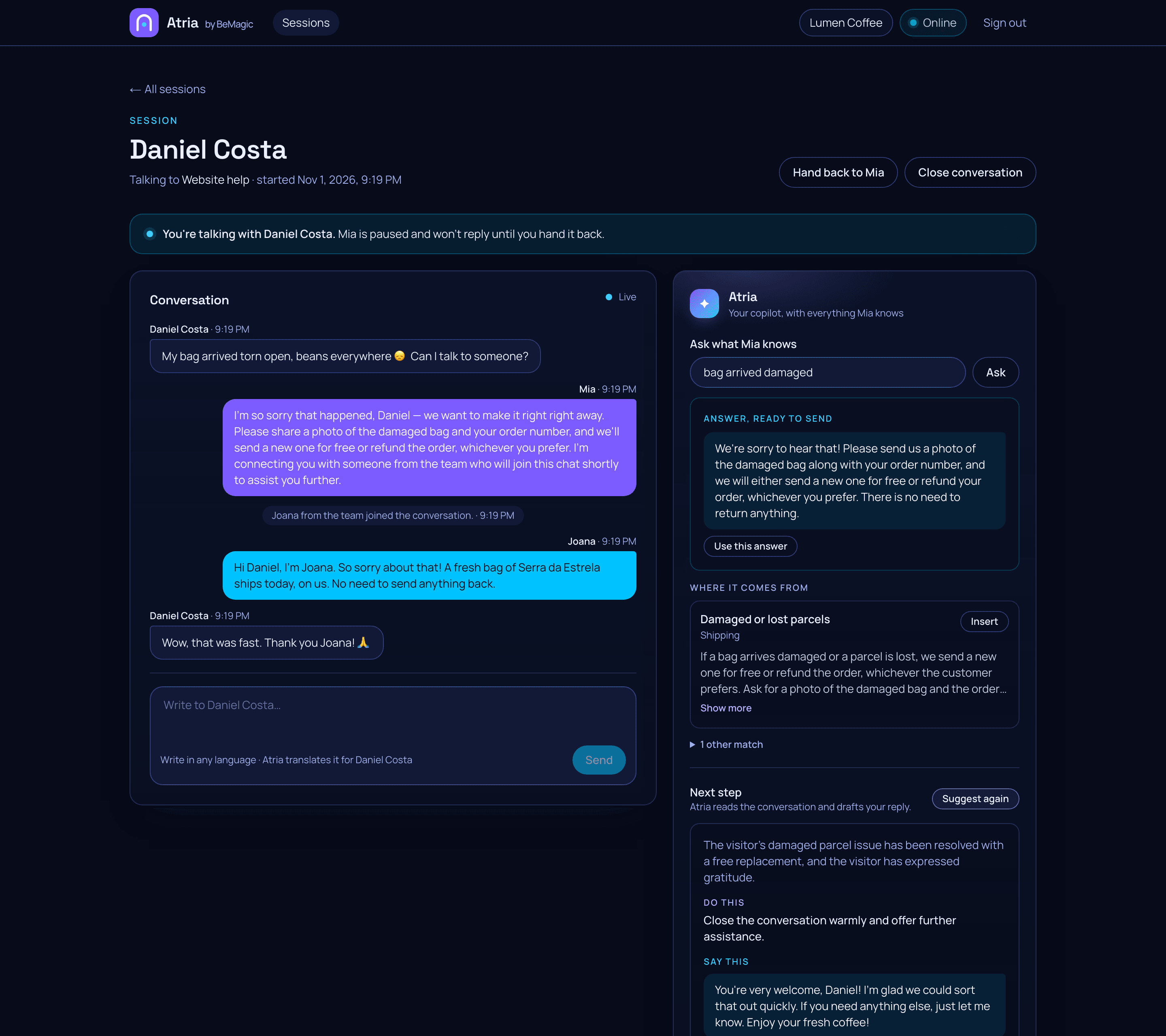
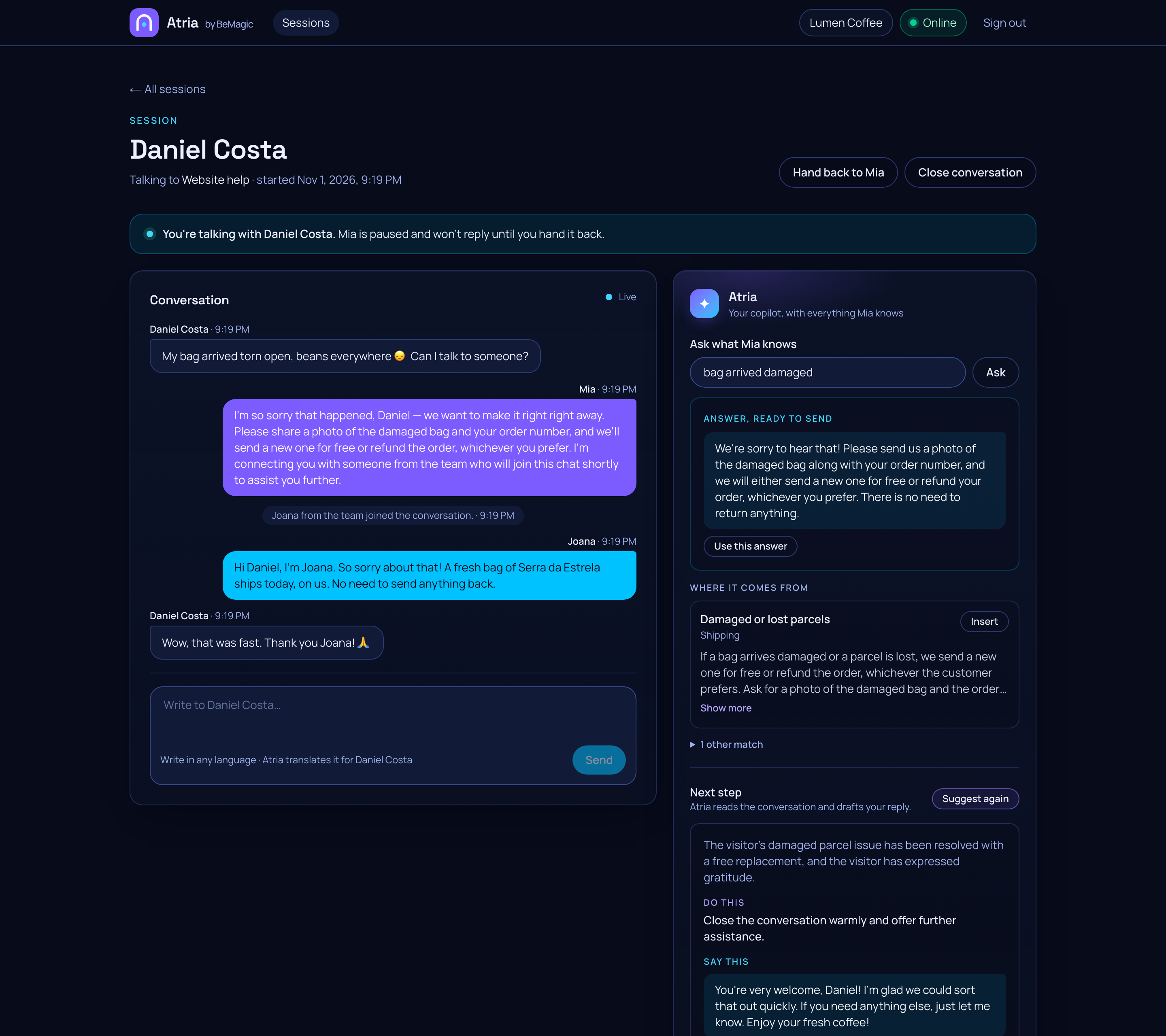
Atria at your operator's side
Search what the agent knows, get a ready-to-send answer with its sources, and a suggested next step for this exact conversation.
- atria.bemagic.online/admin/agents
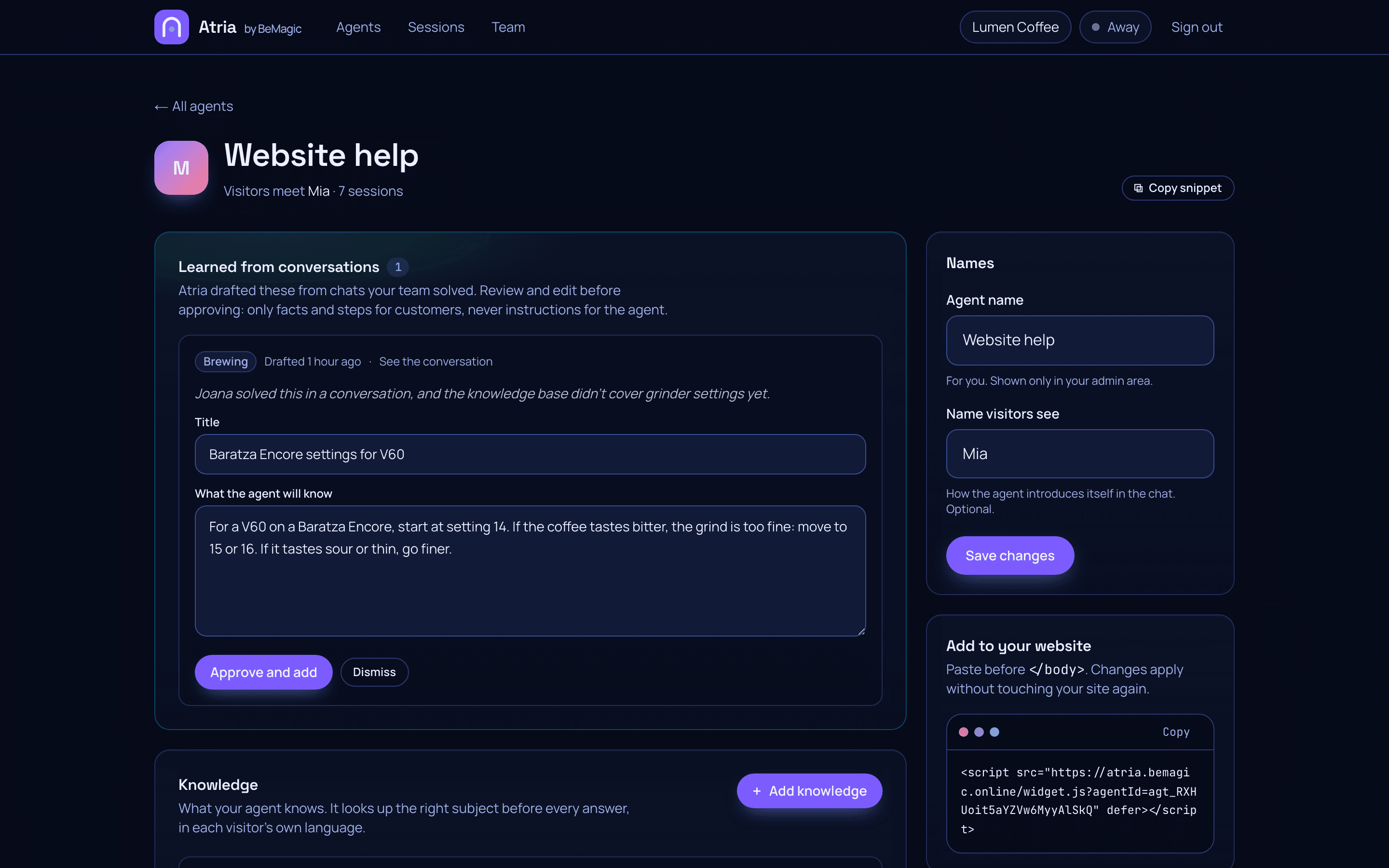
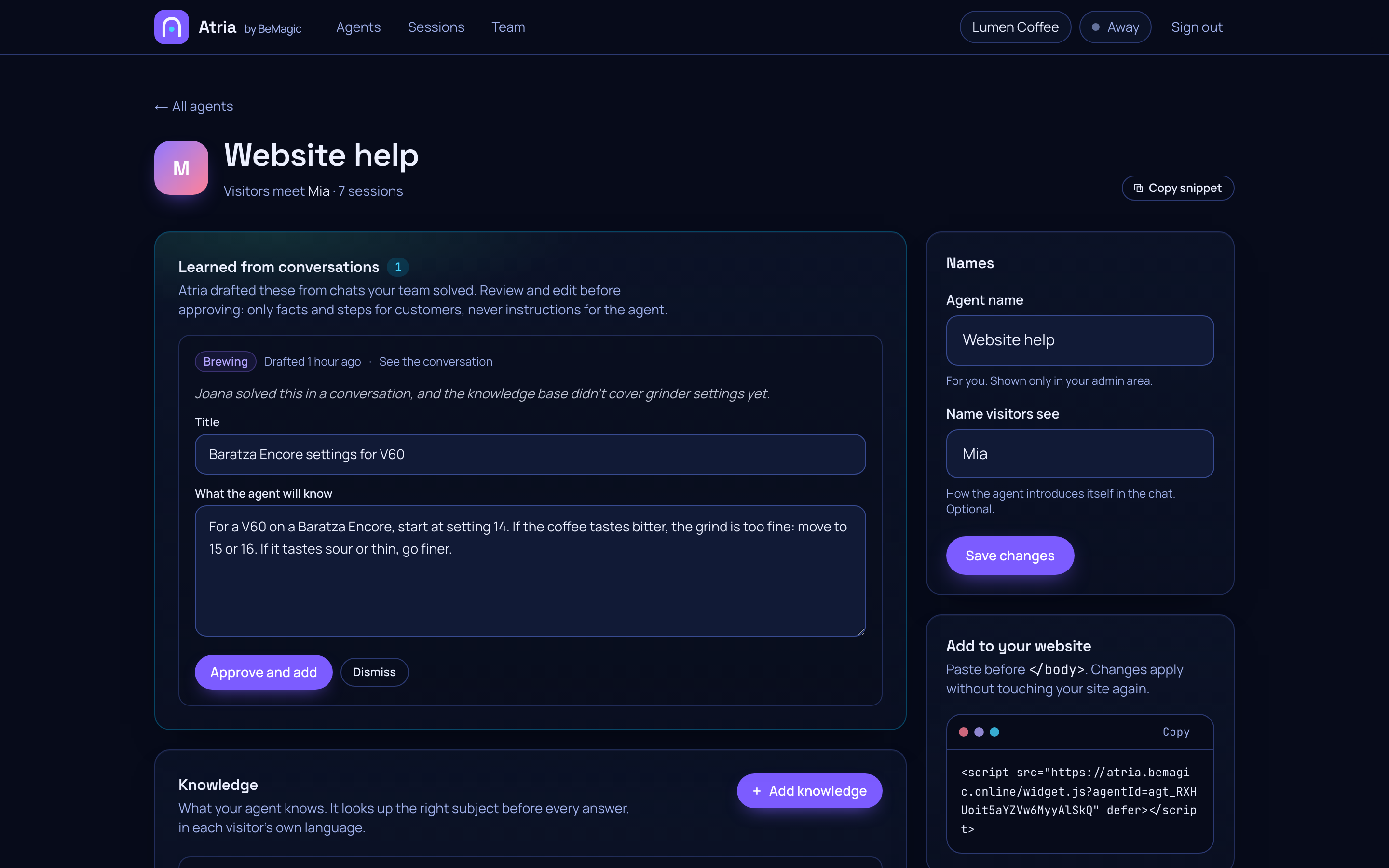
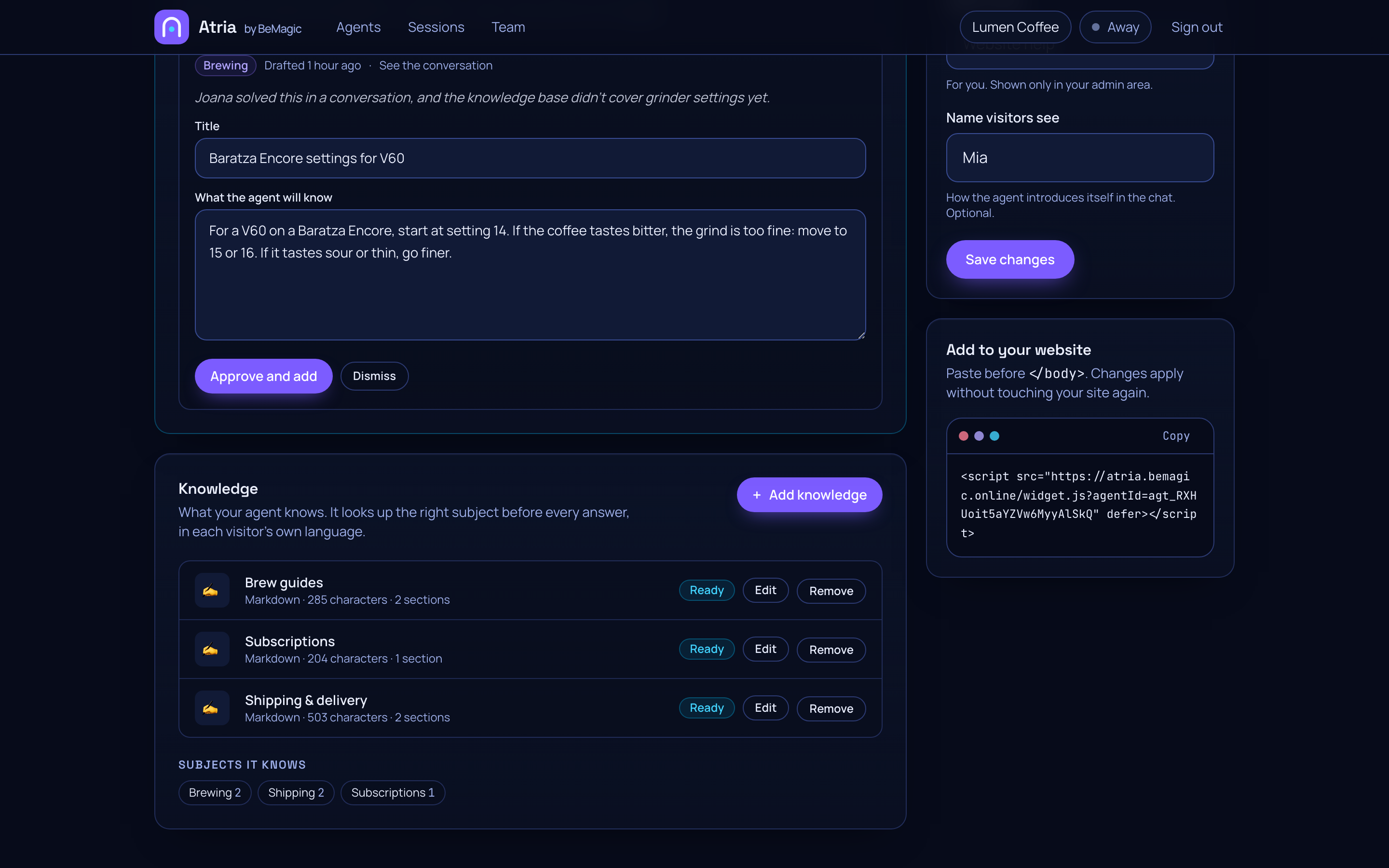
Learns from chats your team solved
When a person solves something the agent didn't know, Atria drafts it as knowledge. You review and edit it before the agent ever uses it.
- atria.bemagic.online/admin/sessions
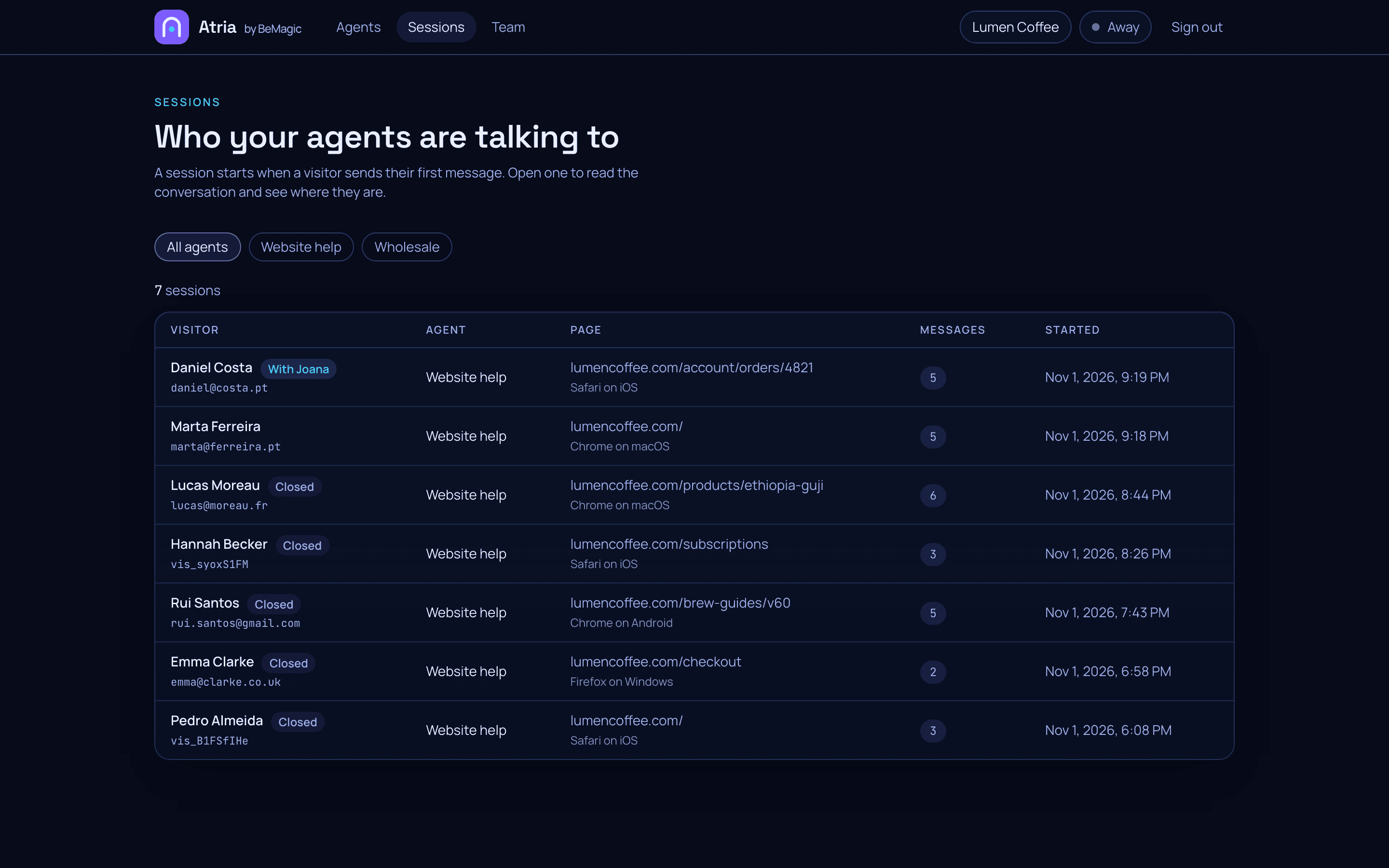
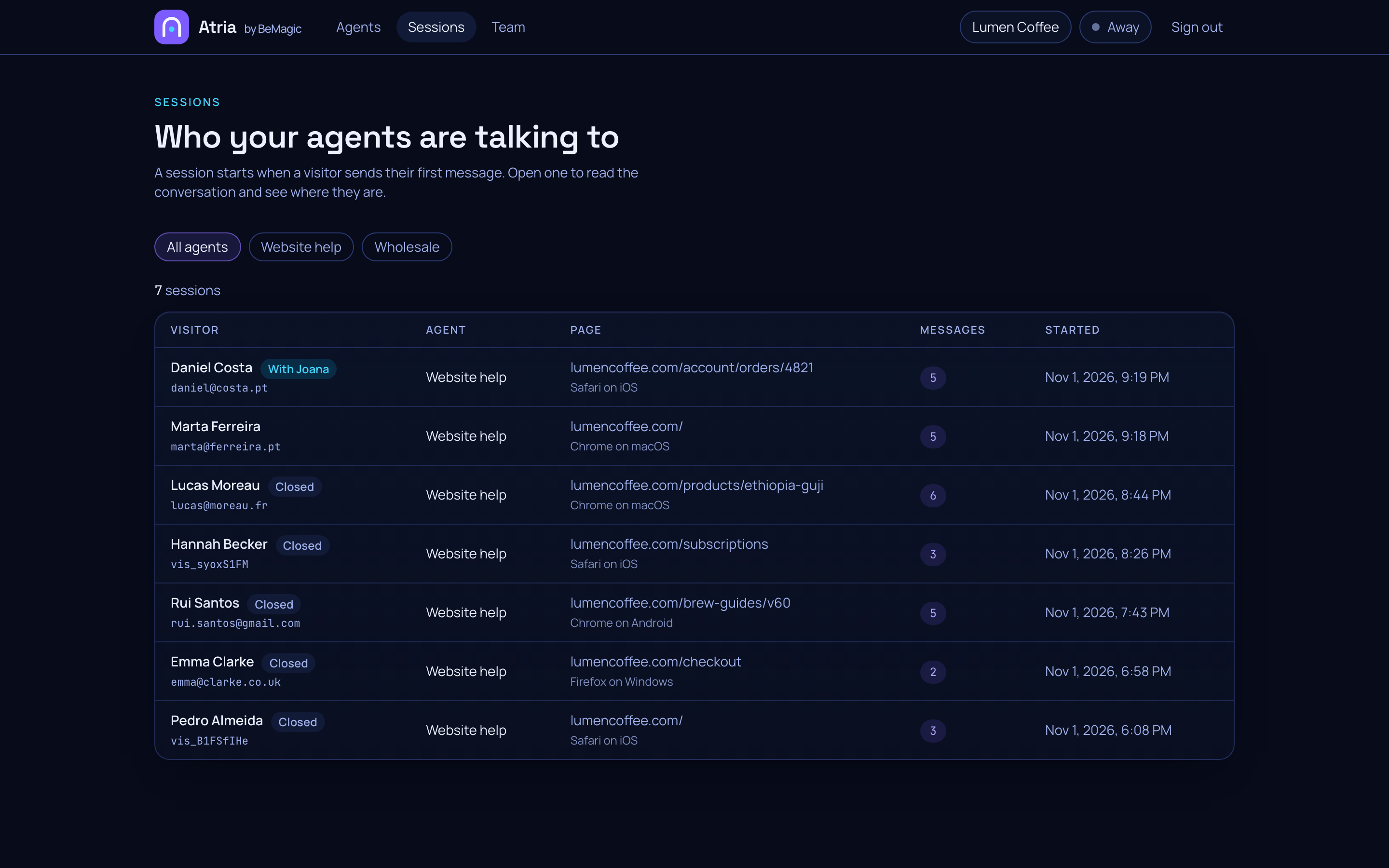
Know who you're talking to
Every session shows the visitor, the page they were on, their device, and how the conversation ended.
- atria.bemagic.online/admin/agents
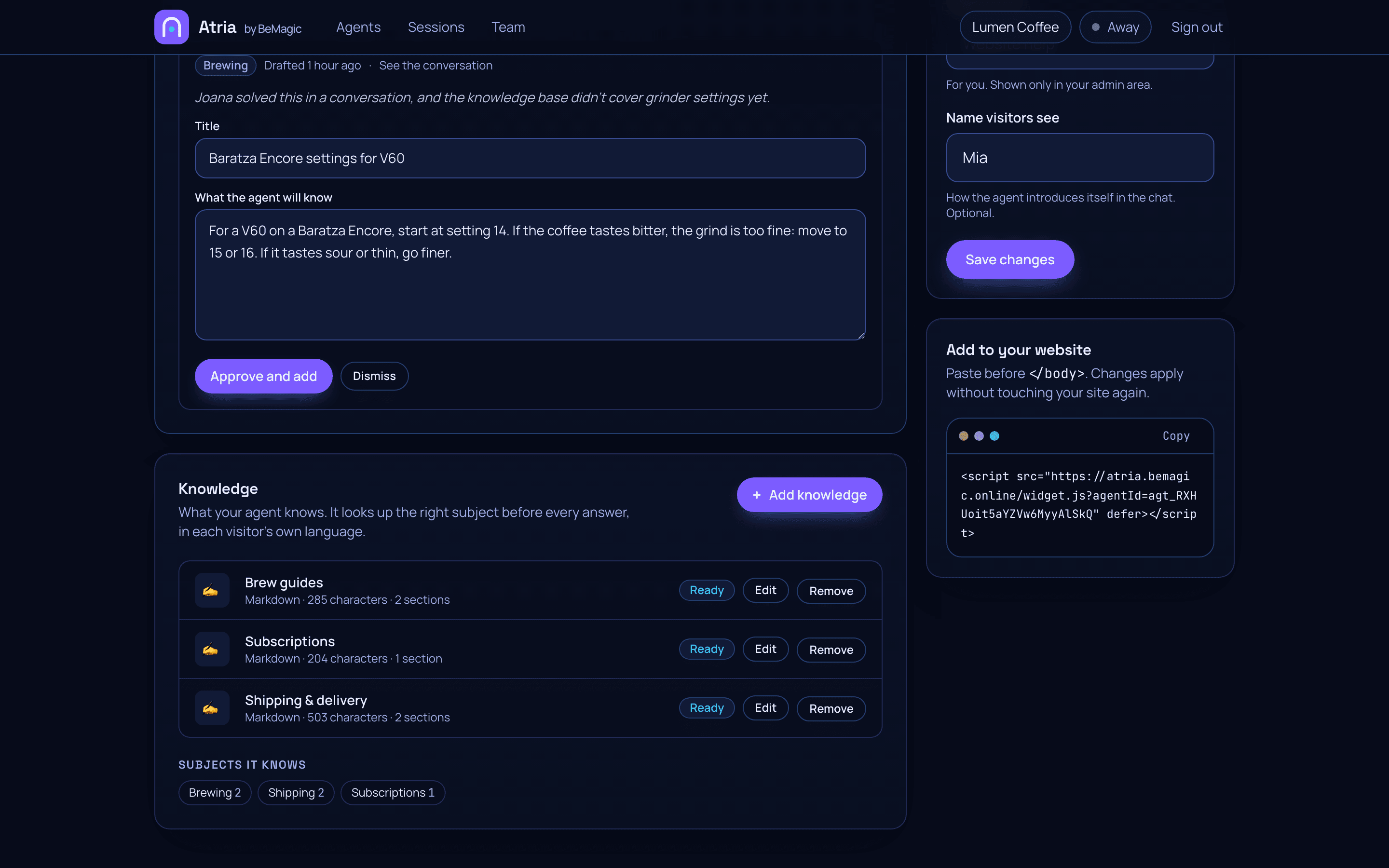
Teach it what it knows
Upload documents or write answers. Atria organizes them by subject and looks up the right one before every reply.
- atria.bemagic.online/admin
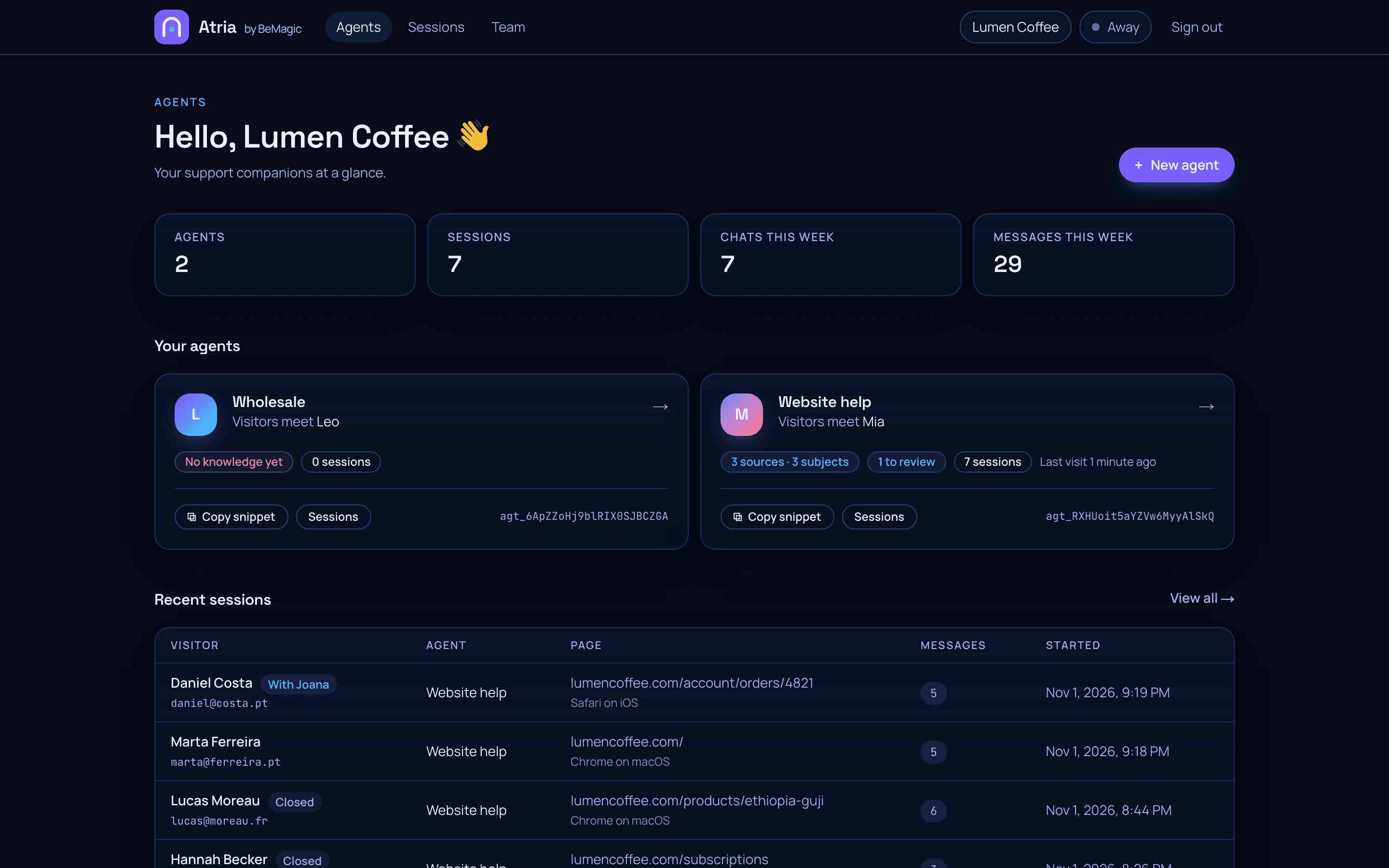
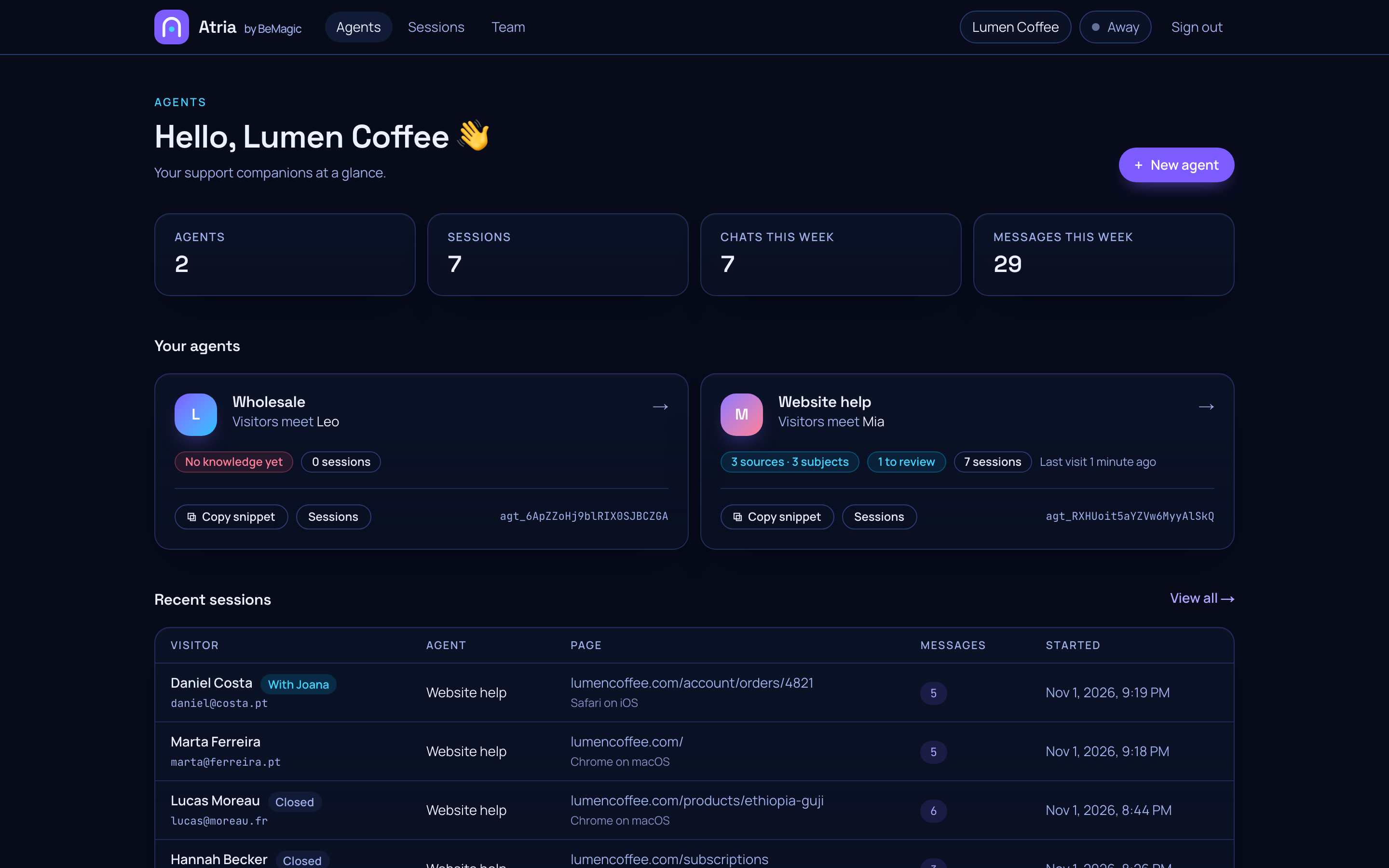
Your support at a glance
Agents, what each one knows, what's waiting for review, and who's talking to them right now.
- atria.bemagic.online/admin/team
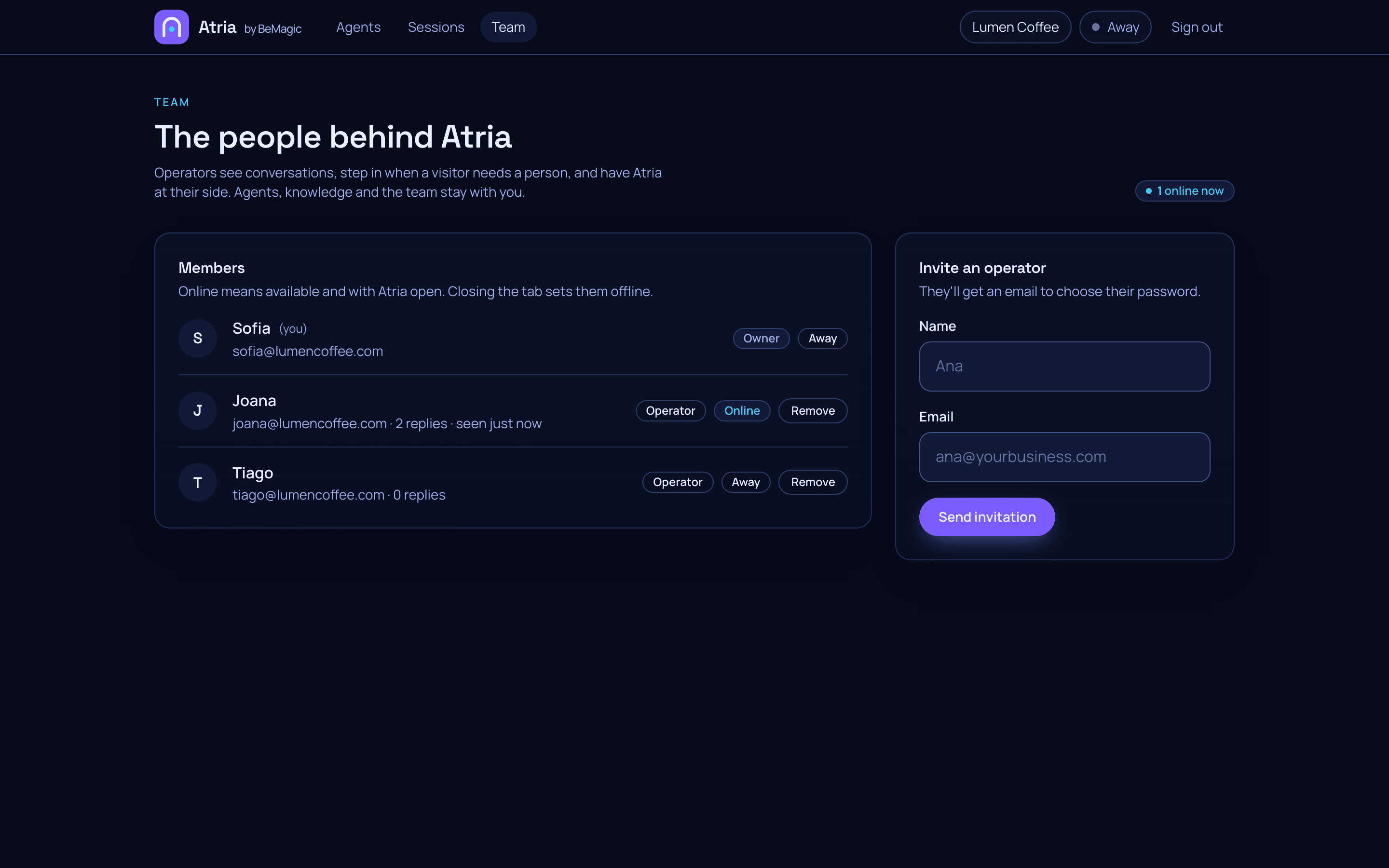
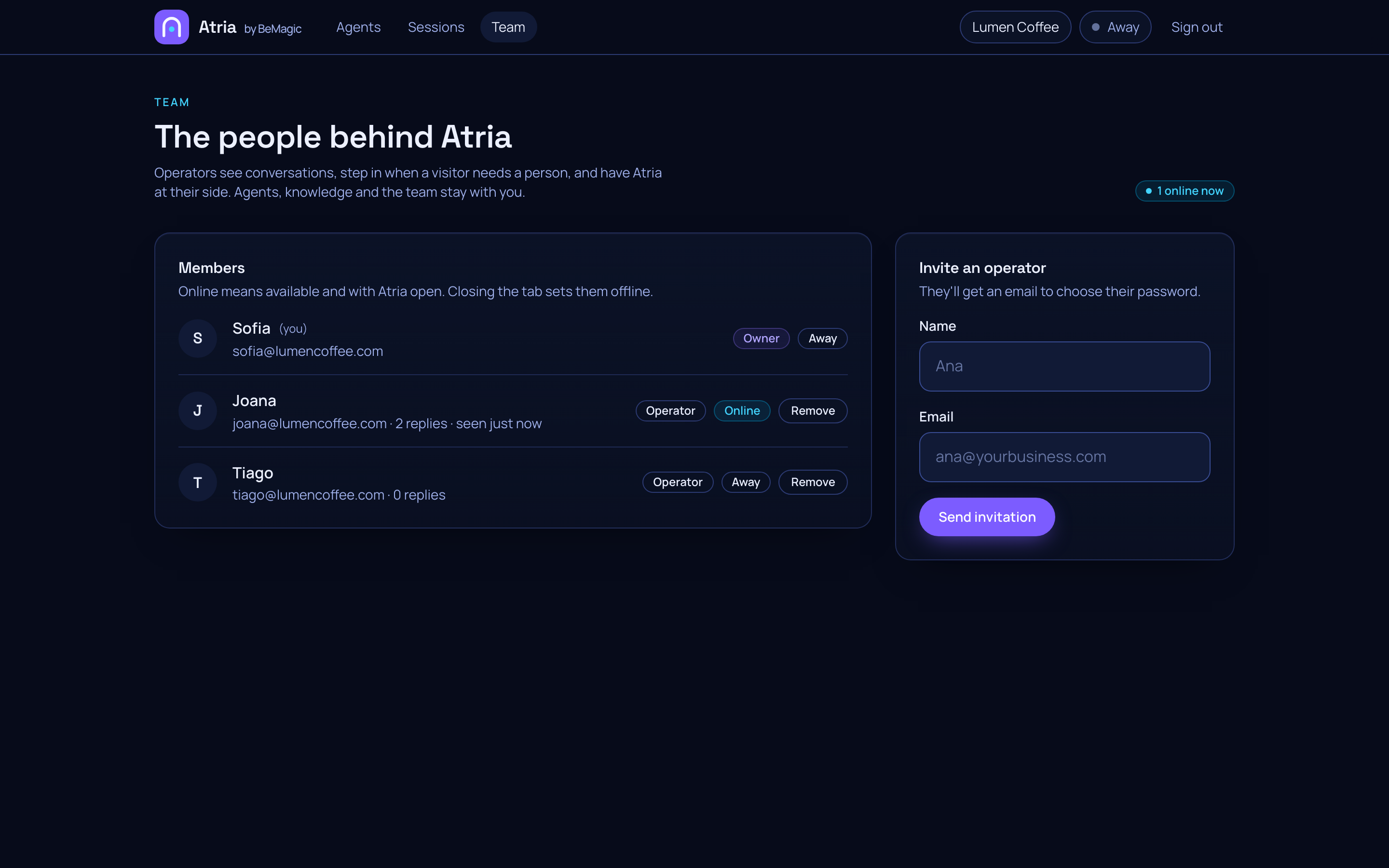
Bring your team
Invite operators. They see conversations and step in, while agents, knowledge and settings stay with you.
How it works
From hello to helpful in three steps.
- 01.
Create your space
Tell us your business name and confirm your email. It takes about a minute.
- 02.
Teach it your voice
Share how you talk to customers and what matters to them. Atria learns your way, not a script.
- 03.
Paste one line
Drop the snippet into your site and say hello to your customers, around the clock.
The whole install
Paste it before the closing </body> tag. That's it, really.
<script src="https://atria.bemagic.online/widget.js?agentId=agt_YOUR_AGENT_ID" defer></script>Using Next.js, Remix, Nuxt, WordPress or Shopify? See the guide for your stack.
Your customers deserve to feel heard.
Create your Atria space in a minute and give every conversation a warm welcome.
Start with Atria